It is easier for a software program to view a hard drive as a large serial
memory object than as a physical device with heads and cylinders. The records
start at address 0 and go to some large number. However, at some point
in the software this linear addressing must be changed to a three vector
address that includes the sector, head, and cylinder so that the data can be
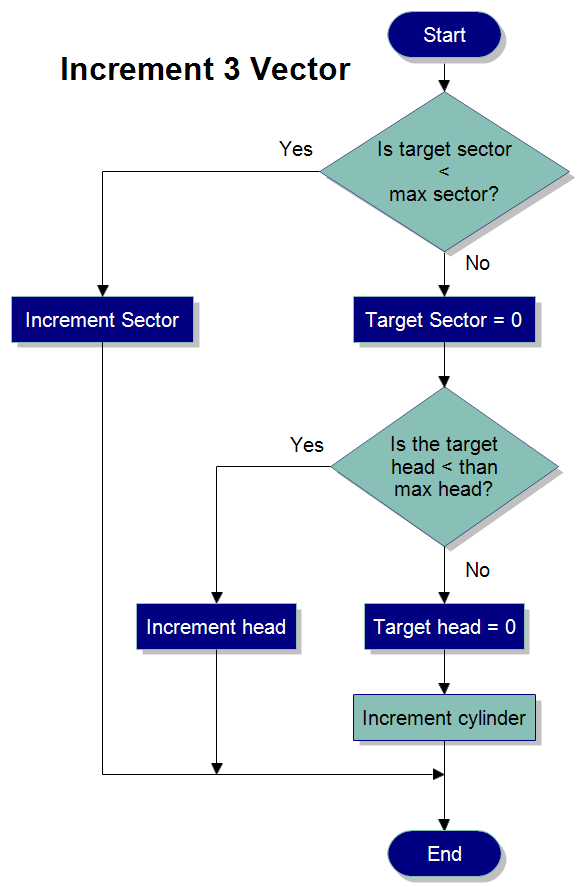
read and written to the hard drive. The flowchart above describes a software
subroutine that would increment a three vector address.
First
download the
free trial version of RFFlow. It will allow you to open any chart and make
modifications.
Once RFFlow is installed, you can open the above chart in RFFlow by clicking
on
basic_flowchart1.flo.
From there you can zoom in, edit, and print this sample chart. It is often
easier to modify an existing chart than to draw it from scratch.
The above flowchart uses one of the flowcharting color schemes. To find these,
click the
More Shapes button

,
Flowcharting, and
Color Schemes in RFFlow.

 Loveland CO 80539-1244 USA