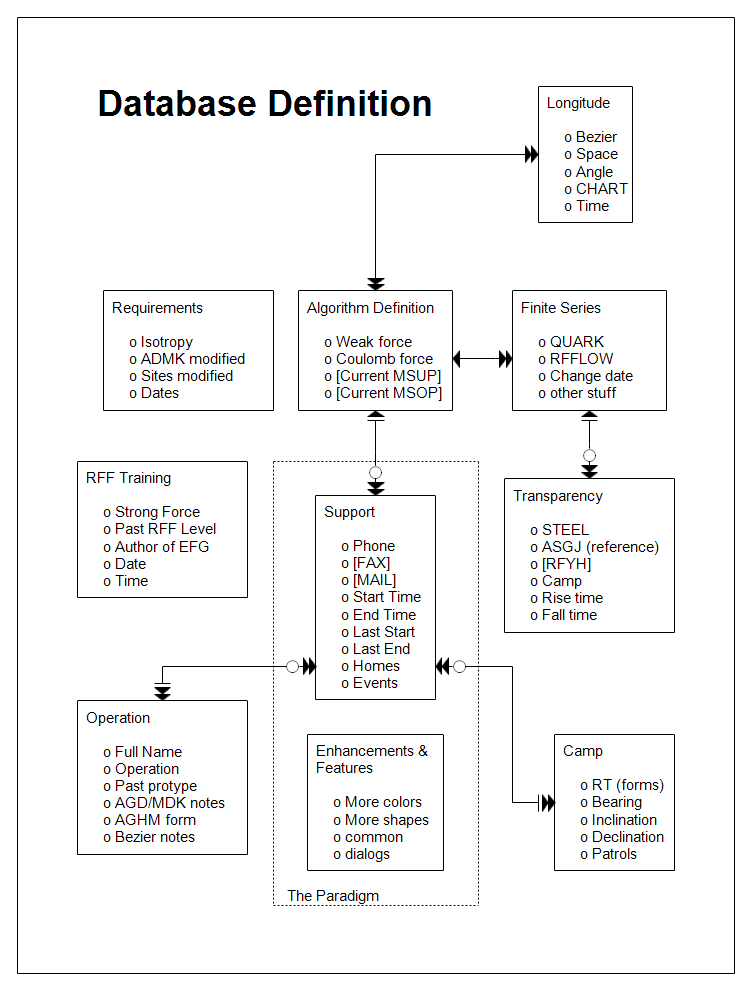
The above database diagram drawn with RFFlow shows an older style than that
used in
new_database.php.
This relational database has ten tables. The relationship lines have the
standard one to one and one to many, but also include whether the
relationship is optional (open circle) or required (cross bar).
First
download the free trial
version of RFFlow. It will allow you to open any chart and make modifications.
Once RFFlow is installed, you can open the above chart in RFFlow by clicking
on
database_definition.flo.
From there you can zoom in, edit, and print this sample chart. It is often
easier to modify an existing chart than to draw it from scratch.
To draw this chart without downloading it, run RFFlow and click on the
More
Shapes 
button.
Scroll and click the
Database Design stencil and then click the
Add
Stencil button.
The tables are simply a white box with text added. Tabs are used to indent the
text from the left. You could select a fancy bullet in the Wingdings font, but
the above chart just used a small letter "o" as the bullet shape. It
is faster than changing fonts.

 Loveland CO 80539-1244 USA