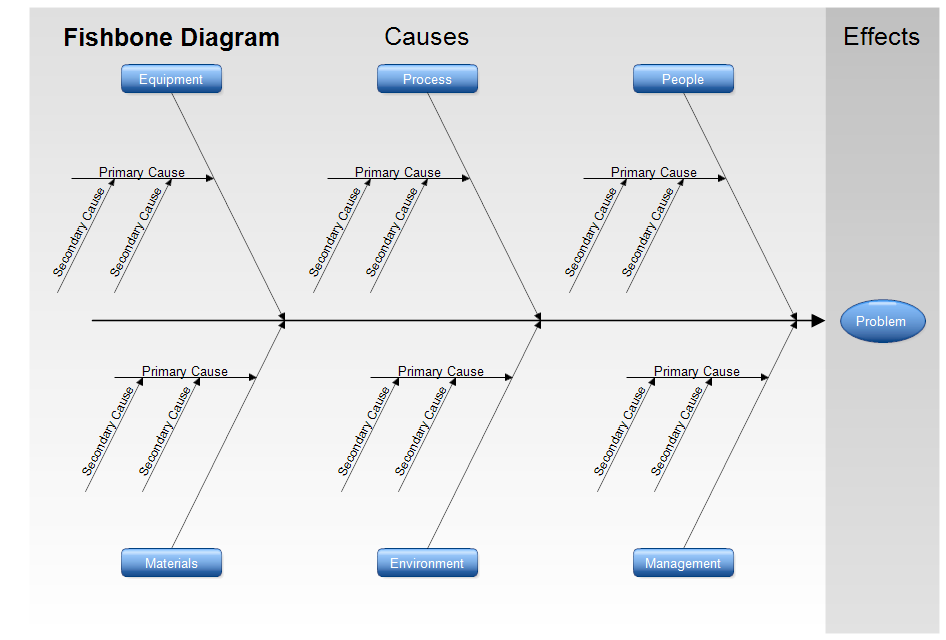
Fishbone diagrams, Ishikawa diagrams, and cause-and-effect diagrams are all the
same thing. The effect or problem is placed on the right. A large arrow, the
spine, points to the effect. Diagonal arrows with rectangles at the end show the
categories of causes. Some standard categories are shown in the above diagram.
They are Management, Environment, etc. Primary causes are listed on arrows that
connect to the categories. Secondary causes further explain the primary
causes.
For example, the category may be "Delays in Payment at a store" with
one of the primary causes being "Time needed to write checks" and a
secondary cause being "Approval needed for large checks."
The above template is ready for you to download and modify for your fishbone
diagram.

Professional Flowcharting Software
|
|
|
|
|
|
|
|
 . Then scroll and click on the
Cause-Effect (Fishbone) stencil
and finally click the Add Stencil button.
. Then scroll and click on the
Cause-Effect (Fishbone) stencil
and finally click the Add Stencil button.
 Loveland CO 80539-1244 USA