Professional Flowcharting
Organization Charts
If you haven't done so already, download the free trial version of RFFlow. Once it is installed, you can open the samples on this page directly in RFFlow by double-clicking the links to the right of each picture. From there you can zoom in, edit, and print the sample chart. Sometimes it is easier to modify an existing chart rather than to draw a new one. (Users of Netscape Navigator 6 should right-click on the file and select Save Link As...)
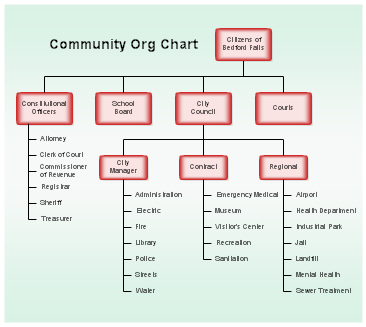
School District Organization Chart School District Organization Chart Click to enlarge image

Download school_orgchart.flo (28 KB)

This organization chart shows the management structure of a public school district. A gradient background was used. These are found in the Background Shapes stencil and any color can be selected.

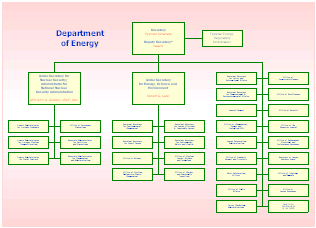
Department of Energy Organization Chart Department of Energy Organization Chart Click to enlarge image

Download energy_orgchart.flo (24 KB)

This chart shows the relationship between the Secretary of the Department of Energy, the Under Secretaries, and various departments.

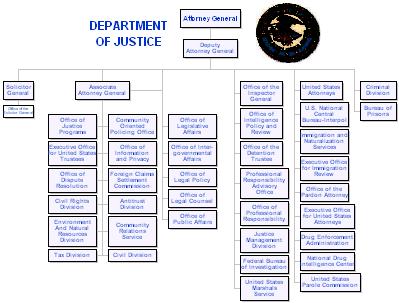
Department of Justice Organization Chart Justice Organization Chart Click to enlarge image

Download justice_orgchart.flo (194 KB)

You can add pictures to your RFFlow charts by clicking on Insert, Picture From File. You can also paste pictures into RFFlow from the Windows Clipboard.

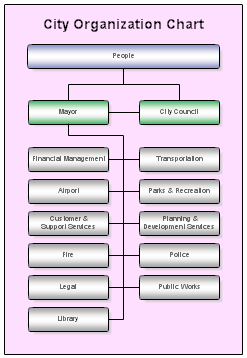
City Organization Chart City Organization Chart Click to enlarge image

Download city_orgchart.flo (9 KB)

This organization chart shows the relationship between the people, the Mayor, and the City Council. It also shows the various departments listed under the Mayor.

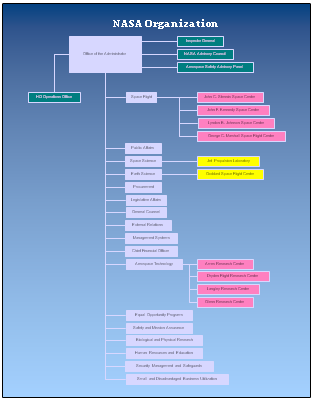
NASA Organization Chart NASA Org Chart Click to enlarge image

Download nasa_orgchart.flo (23 KB)

This is the organization chart for the National Aeronautics and Space Administration.

Project Organization Chart Project Org Chart Click to enlarge image

Download project_orgchart.flo (9 KB)

You can easily modify the text in this chart to quickly make an organization chart for your project.

Supreme Court Members Supreme Court Members Click to enlarge image

Download supreme_court.flo (3,299 KB)

You can add pictures to your RFFlow charts by clicking Insert, Picture From File. You can also paste pictures into RFFlow from the Windows Clipboard.

University Organization Chart University Organization Chart Click to enlarge image

Download university_orgchart.flo (8 KB)

To change the fill color of a shape in RFFlow, right-click on it, choose Properties and go to the Line and Color tab.

Register | Documentation | Privacy and Security | Version Information | Free Additional Shapes | Software Resellers
RFF Electronics
PO Box 1244 Loveland CO 80539-1244 USA Phone 970 663 5767 Fax 970 669 4889 www.rff.com flow@rff.com
Copyright © 1996-2008 RFF Electronics. All rights reserved.