The RFFlow program includes a large number of shapes
arranged in stencils. You can look through the shapes available in RFFlow by
running RFFlow or the RFFlow trial version and clicking the
 button. You can also view and print the shapes in RFFlow at
www.rff.com/documentation.
button. You can also view and print the shapes in RFFlow at
www.rff.com/documentation.
This Web page provides a free calendar and additional stencils that RFFlow
users can download. See Downloading and Using the
Additional Shapes for instructions. The Internet also has millions of shapes you can use
in RFFlow. See
Using Pictures from the Internet in RFFlow.
Either the RFFlow
free
trial or full version will open these files. Then you can add text and
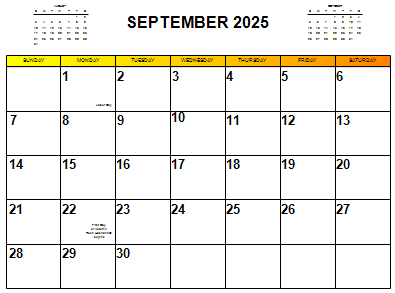
draw diagrams anywhere on the calendar. Download each month as needed, or download them
all in a .zip file.
all-months-2025.zip,
January2025.flo,
February2025.flo,
March2025.flo,
April2025.flo,
May2025.flo,
June2025.flo,
July2025.flo,
August2025.flo,
September2025.flo,
October2025.flo,
November2025.flo,
December2025.flo.
Click the Orientation button to select landscape
orientation. It should look like this

.
Either the RFFlow
free
trial or full version will open these files. Then you can add text and
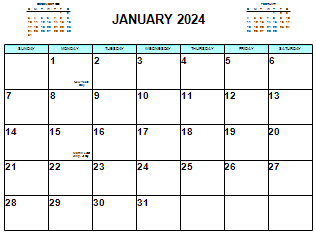
draw diagrams anywhere on the calendar. Download each month as needed, or download them
all in a .zip file.
all-months-2024.zip,
January2024.flo,
February2024.flo,
March2024.flo,
April2024.flo,
May2024.flo,
June2024.flo,
July2024.flo,
August2024.flo,
September2024.flo,
October2024.flo,
November2024.flo,
December2024.flo.
Click the Orientation button to select landscape
orientation. It should look like this
.
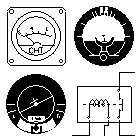
AviationElectronics.flo
(261 KB, 1/10/2001) This stencil includes 57 shapes dealing with aviation
electronics. You can use these shapes along with the standard electronics
shapes that come with RFFlow.
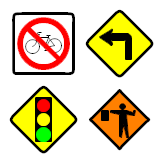
Road signs are now part of RFFlow.
To find the road signs in RFFlow, click on the
More Shapes
button
, scroll way to the
end, and open the
Transportation Objects folder. Then click the
Traffic
Signs stencil and the
Add Stencil button. You can also add the
Roads
stencil that has additional shapes.
There are more traffic related objects in the
Criminal Analysis
folder. Click the
Accidents stencil and the
Add Stencil
button.

 Loveland CO 80539-1244 USA