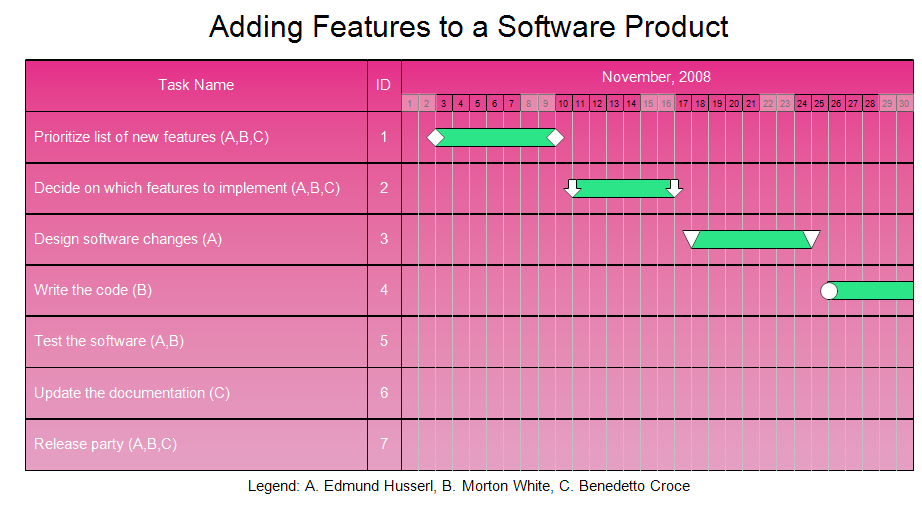
This Gantt chart is a schedule for adding features to an existing software
product. It was generated by entering data and letting RFFlow draw the chart.
The above diagram is page one of a two page chart. It includes a legend
showing who is responsible for each task. This chart uses days as the unit of
time. RFFlow also allows you to use hours, weeks, or months as the time unit.
In this chart Saturdays and Sundays are grayed.
First
download the
free trial version of RFFlow. It will allow you to open any chart and make
modifications.
Then follow the instructions in
How
to Draw a Gantt Chart. Follow each step and you can quickly create a Gantt
chart. You can download the data file by clicking on
software_features.txt.
The data file is used by RFFlow to automatically generate the chart.
Once the Gantt chart is generated in RFFlow, you can edit it like any
other chart. You can edit the text, add descriptive text and arrows. change
colors, etc.

 Loveland CO 80539-1244 USA